Visual design plays an increasingly crucial role in English as a Medium of Instruction (EMI) learning environments, where learners are not only navigating new academic content but also processing that content through a second or additional language. As EMI classrooms expand across universities and disciplines, teachers must consider how layout, visual hierarchy, imagery, color, and multimodal supports shape the accessibility and intelligibility of course materials. Effective visual design enhances comprehension, reduces cognitive load, and promotes meaningful engagement with subject knowledge.
1. The Role of Visuals in Enhancing Comprehension
Visuals serve as scaffolding devices that help learners understand and internalize key concepts. Infographics, diagrams, tables, timelines, and conceptual maps allow students to process relationships that might otherwise be difficult to grasp through text alone. In EMI contexts, this support is especially valuable, as students may be simultaneously translating terminology, processing unfamiliar structures, and engaging in new conceptual reasoning.
However, visual design must be intentional. Overly complex graphics can overwhelm learners, while decorative images that do not support understanding create distraction. The goal is to strike a balance: visuals should be purposeful, concept-focused, and clearly aligned with the learning goals.
2. Multimodal Resources in EMI Contexts
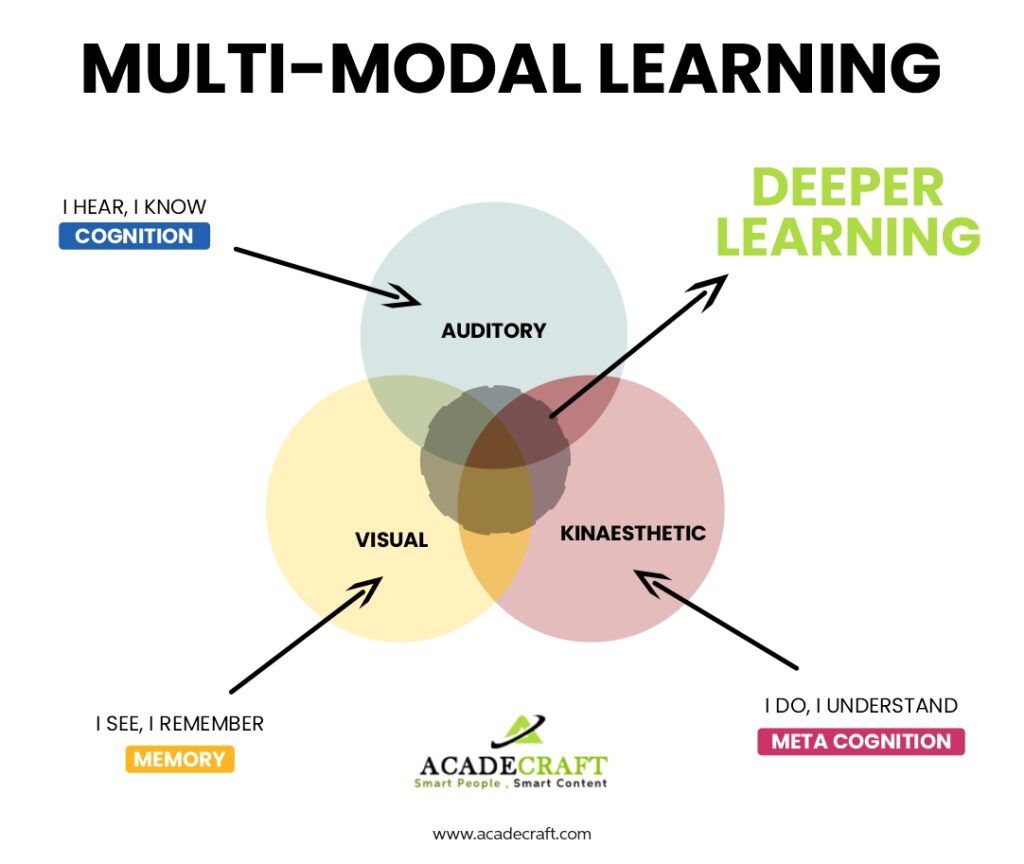
Multimodality refers to the combination of different modes of meaning—text, image, sound, gesture, and spatial arrangement—to convey ideas. In contemporary EMI classrooms, multimodal learning may include annotated lecture slides, short video explainers, podcasts, lab simulations, interactive web diagrams, and collaborative whiteboards.
These resources allow students to interact with academic content through various sensory channels, providing reinforcement and repetition without redundancy. For example, a short animated explanation of a scientific process may help students internalize procedural knowledge more effectively than text-based description alone.
3. Aligning Design with Cognitive Processing
Cognitive load theory suggests that learners have limited processing capacity at any moment. Poorly designed slides with dense text or busy backgrounds increase extraneous load, hindering learning. Conversely, clear visual hierarchy—using spacing, headings, icons, and color—supports the organization of ideas and guides learners’ focus.
Practical Design Recommendations
- Use consistent color palettes to signal related concepts.
- Limit text per slide or section to key phrases and essential phrasing.
- Use icons to represent recurring categories (e.g., definitions, examples, key reminders).
- Place visuals near the text or spoken explanation they refer to.
- Use whitespace strategically to frame important information.
When students understand how information is structured visually, they spend less effort decoding form and more effort engaging with meaning.
4. Supporting Diverse Learners
Many EMI classrooms include students with varied linguistic backgrounds and learning styles. Visual design and multimodal resources help support such diversity by accommodating different cognitive preferences. Videos with subtitles, bilingual glossaries, gesture-guided demonstrations, and captioned lecture summaries create inclusive learning pathways.
Choose one piece of teaching material you currently use. How could you redesign it to improve clarity, reduce cognitive load, or enhance multimodal engagement for EMI learners? Share a screenshot or example and explain your design choices.